Skip to content
Home ยป Payment Guide

Payment Guide

Welcome to the NursingAllrounder Membership Guide.

This page explains the complete process for purchasing a subscription, making a payment, accessing your account, resetting your password, and getting customer support.

Follow the steps below carefully.

Step 1: Search NursingAllrounder on Google
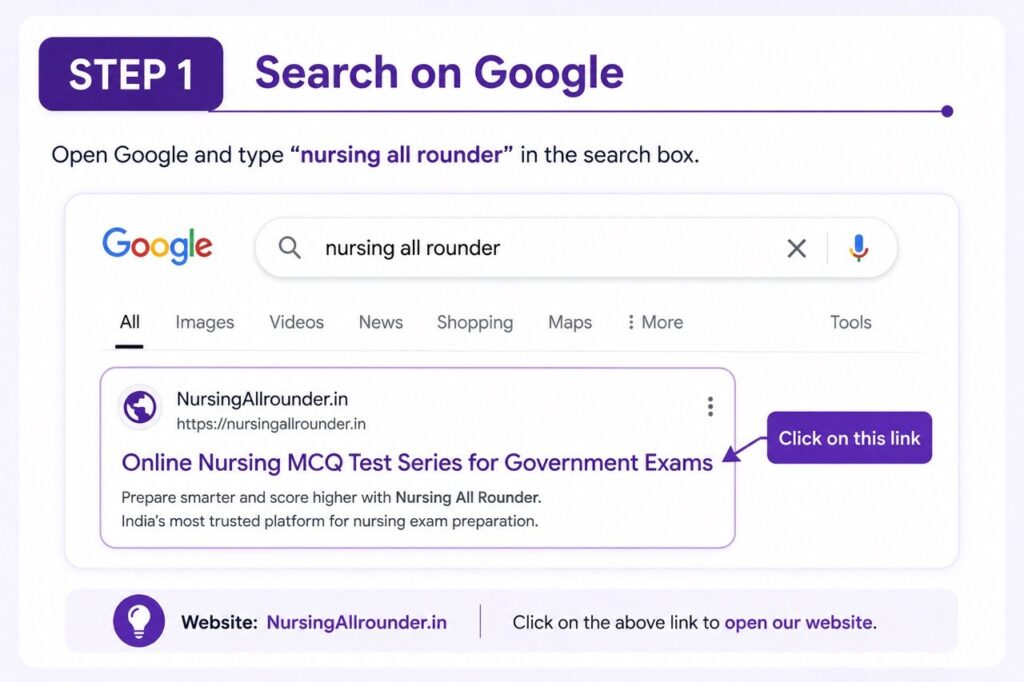
Step 1 of NursingAllrounder payment guide showing how to search Nursing All Rounder on Google and open NursingAllrounder.in website.
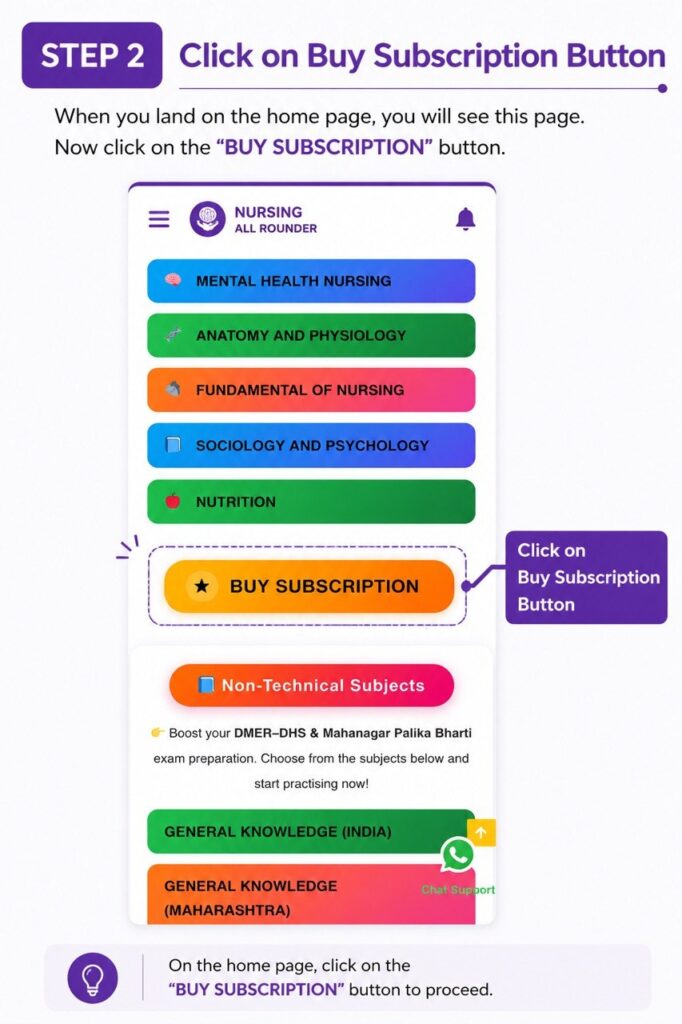
Step 2: Open the NursingAllrounder homepage and click on the "Buy Subscription" button.
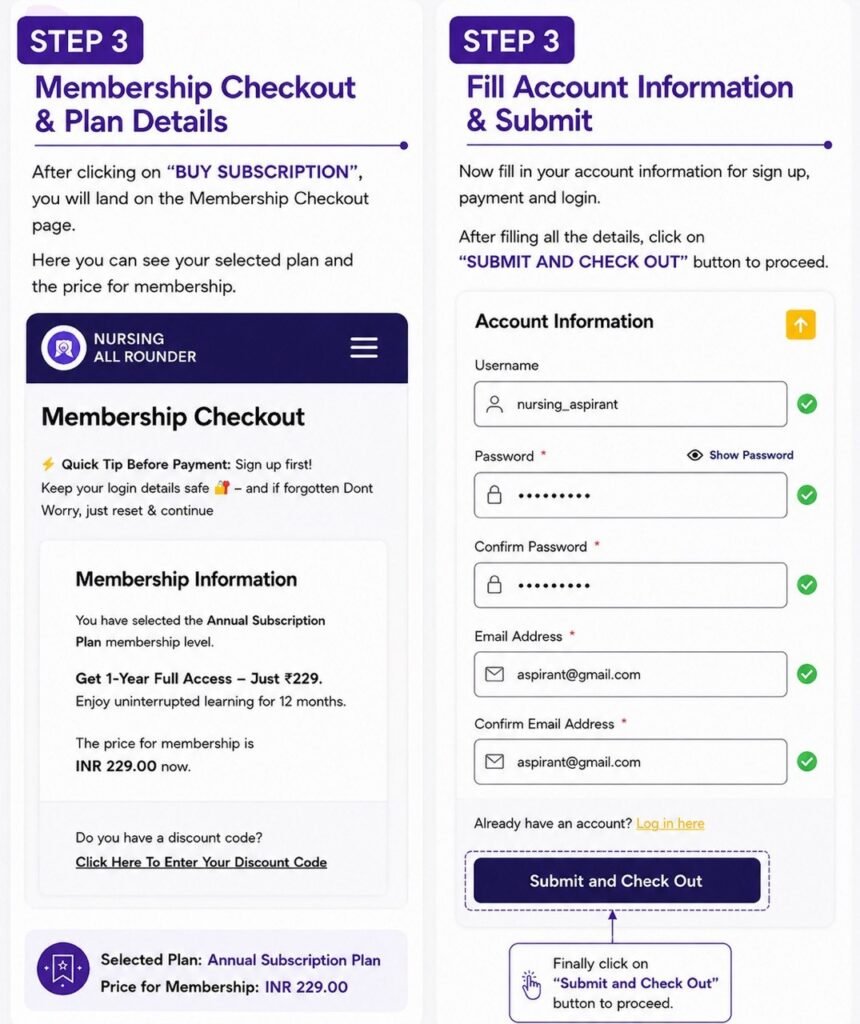
Step 3: Review membership information and fill in account details including username, password, and email address.
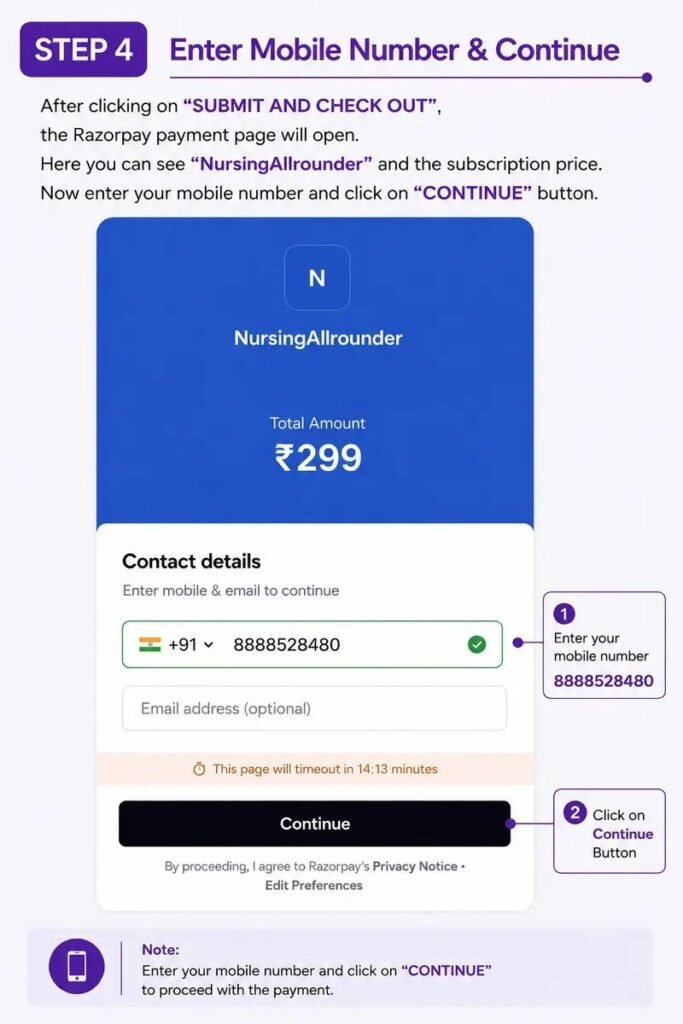
Step 4: Enter your mobile number on the Razorpay payment page and click Continue.
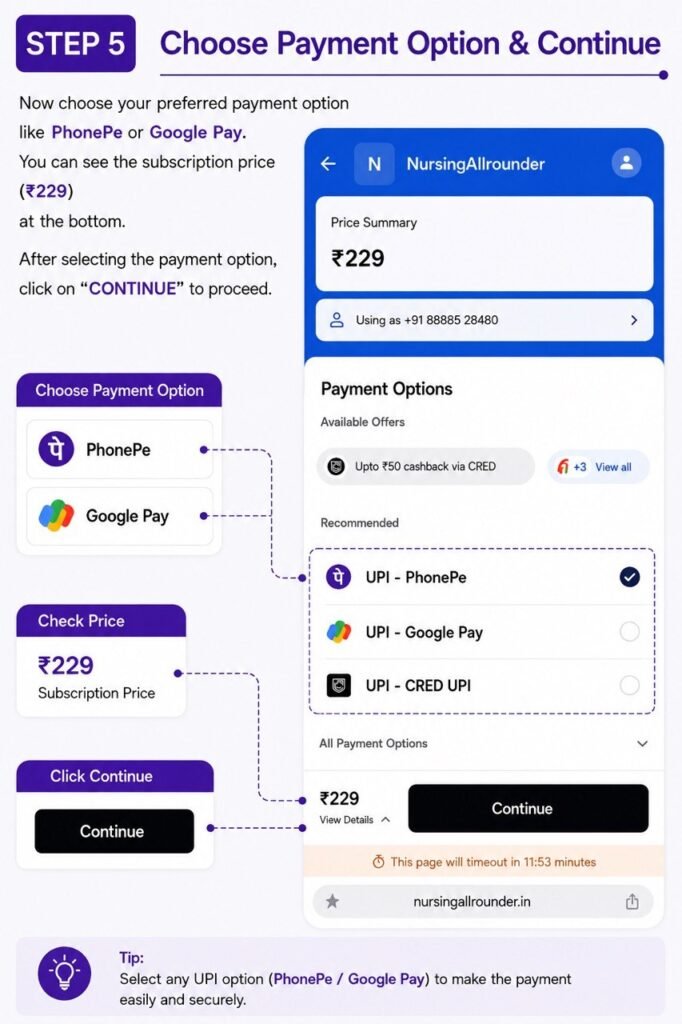
Step 5: Select your preferred payment method such as PhonePe or Google Pay and continue with payment.
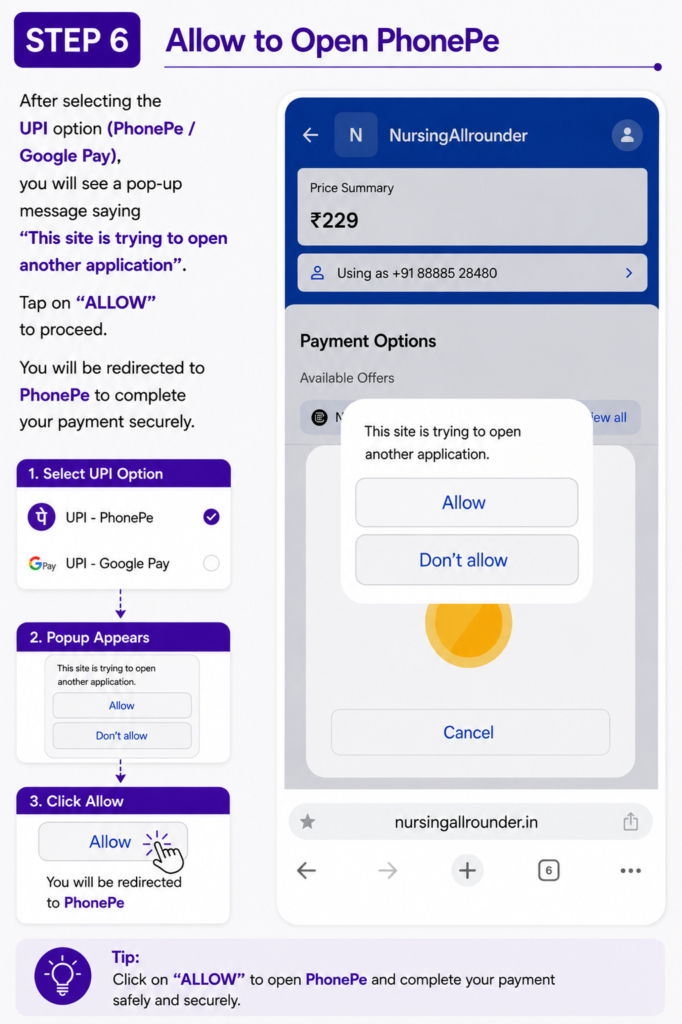
Step 6: Allow the browser to open PhonePe or another UPI application to proceed with payment.
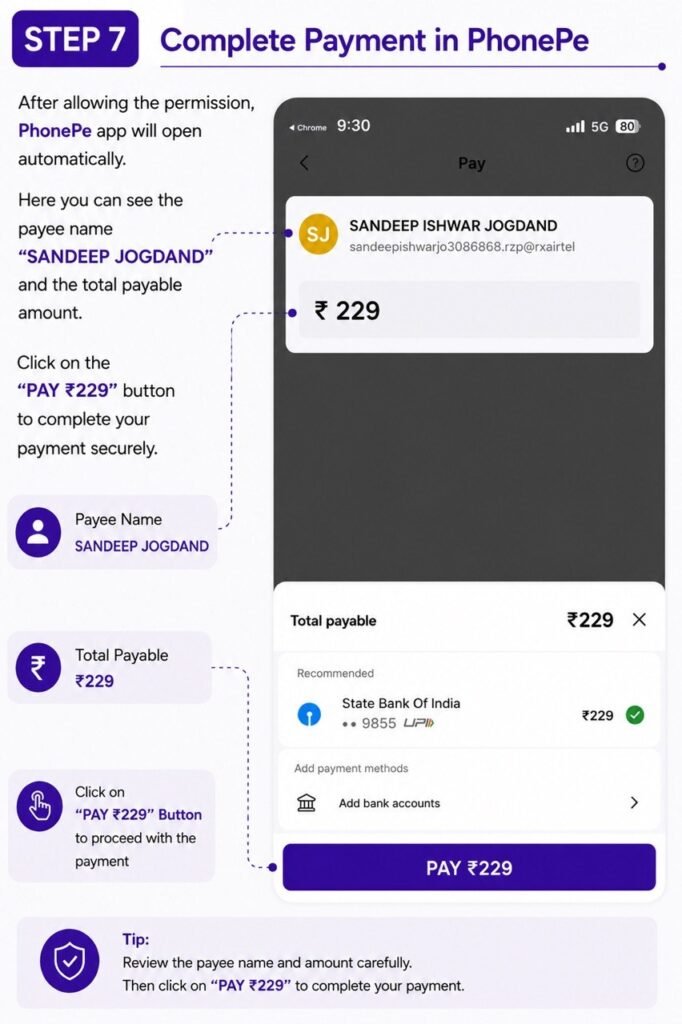
Verify the payee details and complete the โ‚น199 payment through PhonePe.
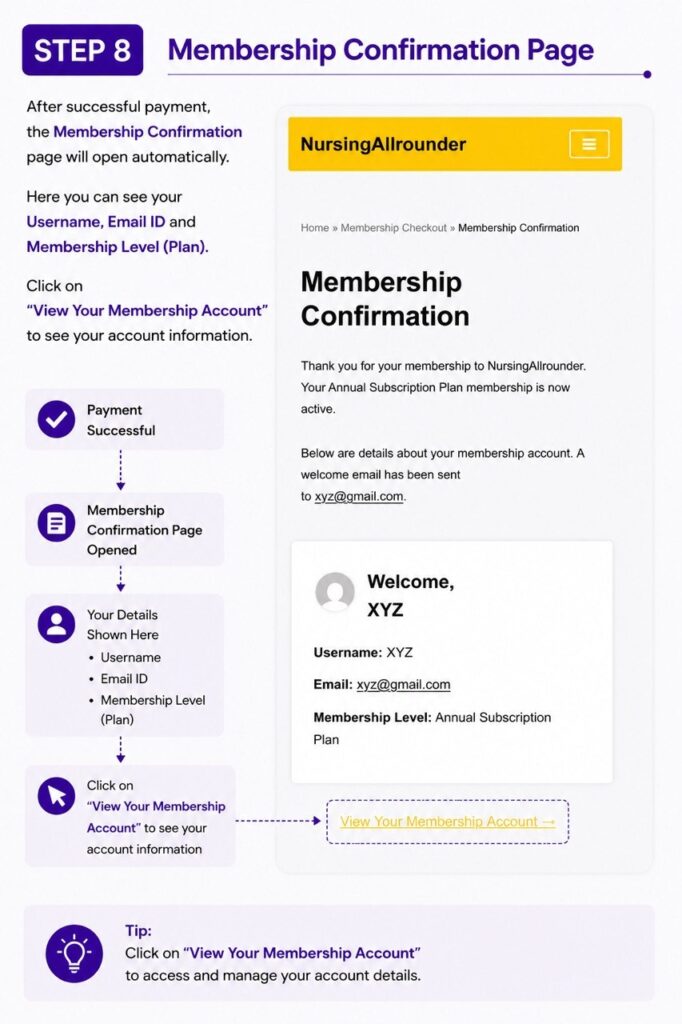
Step 8: View the membership confirmation page and open your membership account details.
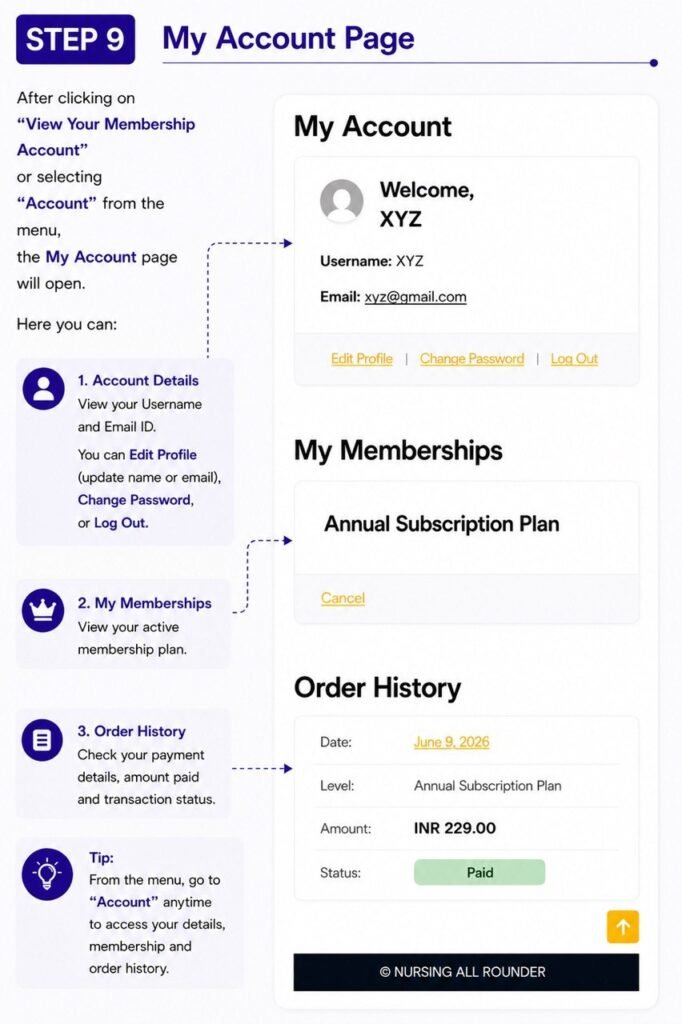
Step 9: Check your account information, membership plan, payment history, and account status
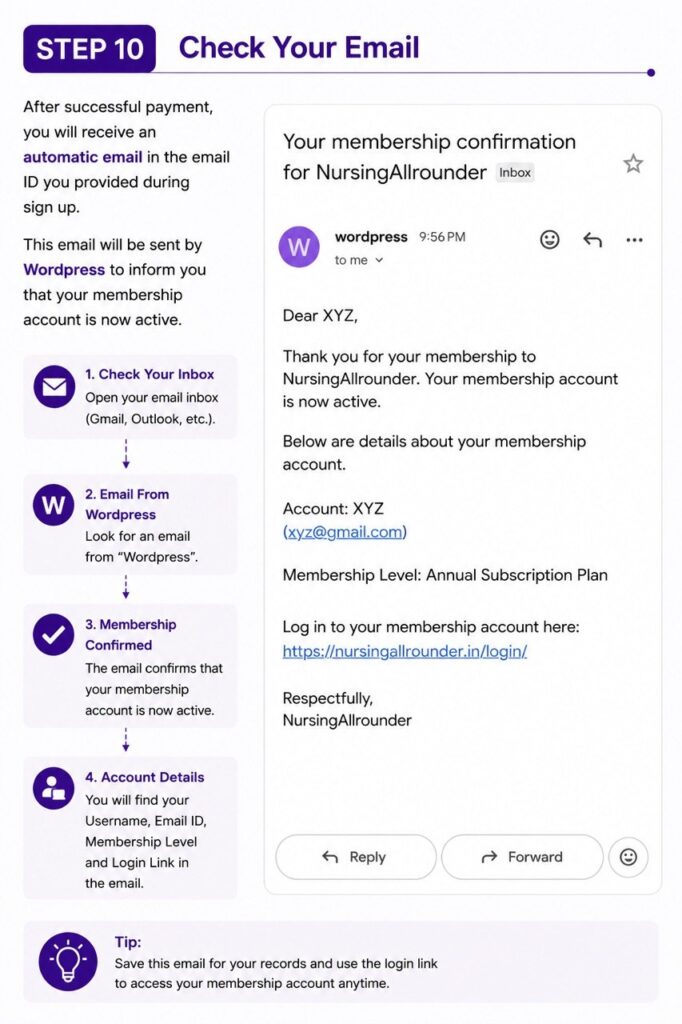
Step 10: Check your email inbox for the membership activation email from WordPress confirming your subscription

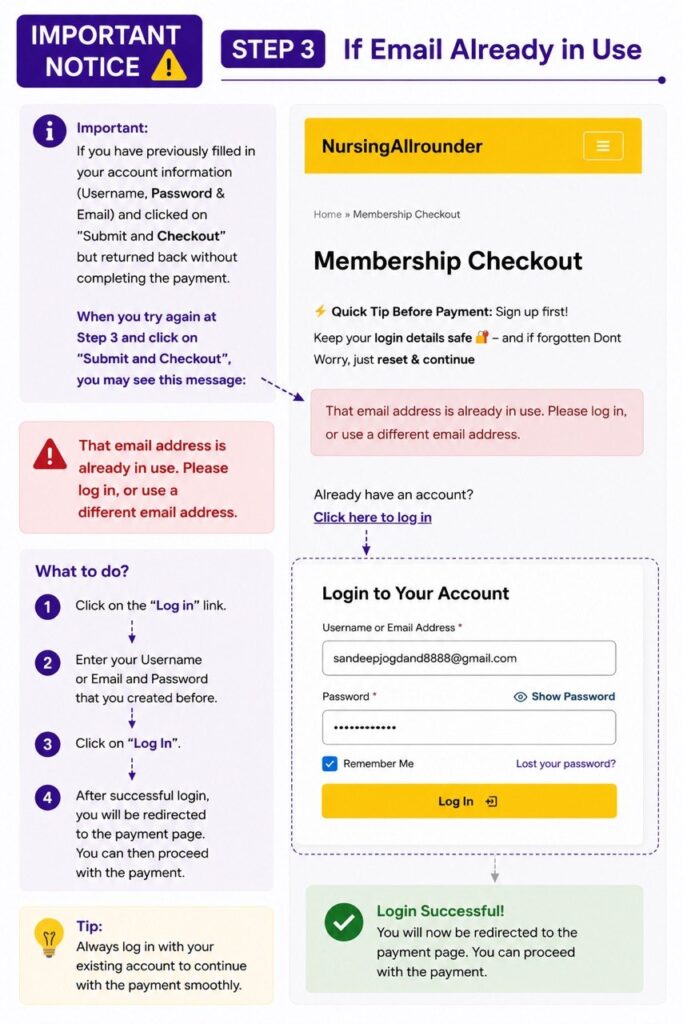
IMPORTANT NOTICE BELOW

Important notice showing how to log in with an existing account if the email address is already in use

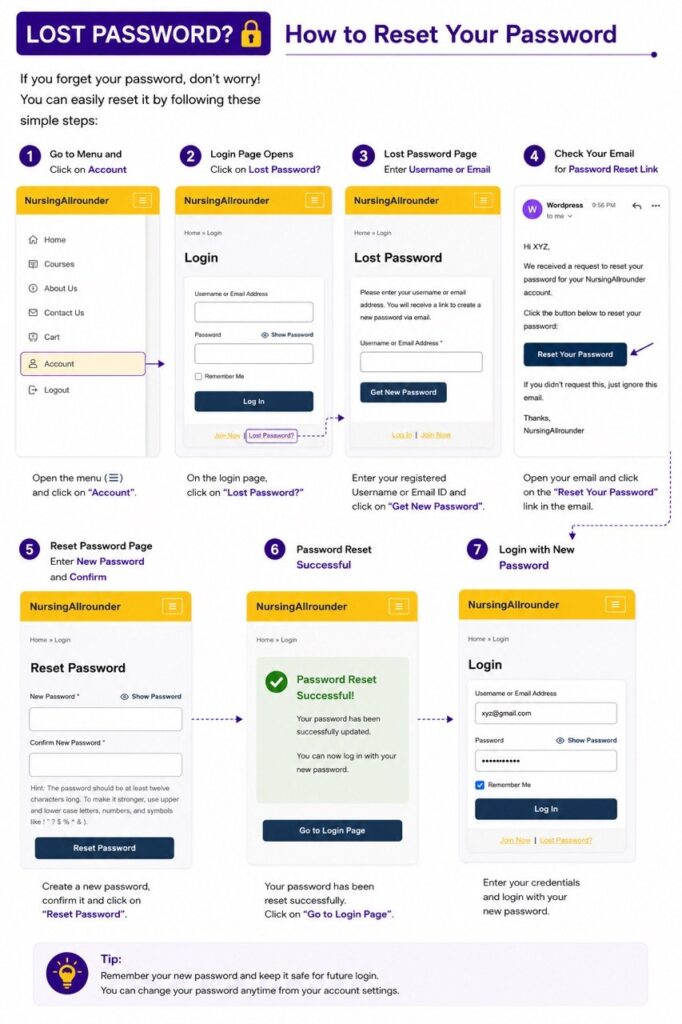
HOW TO RESET A LOST PASSWORD

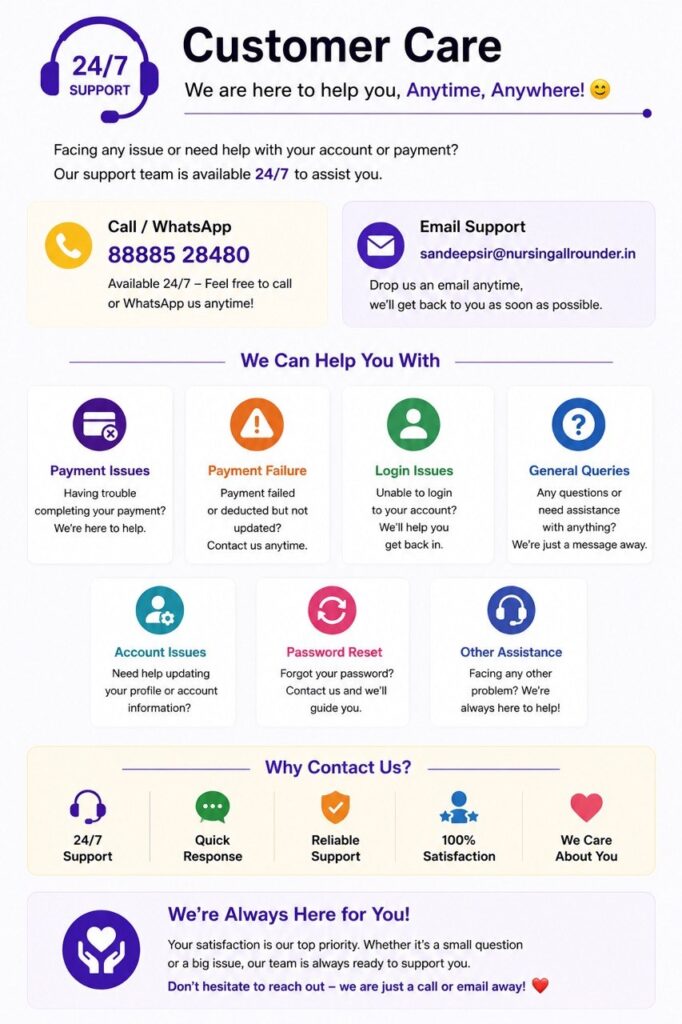
NursingAllrounder customer support information for payment issues, login problems, and account assistance available 24/7.

CUSTOMER CARE 24/7

NursingAllrounder customer support guide with phone number and email for payment failure, login issues, password reset, and account help.

๐Ÿ”ฝ๐Ÿ“š Click Below to Purchase Your Subscription & Start Learning Today! ๐ŸŽ“

.